
They’re the work needed to turn your company data into trusted reports and dashboards. That includes planning, data integration, data modeling, dashboard building, security, training, and ongoing support. Most business intelligence & analytics services also add deeper analysis or forecasting on top.
Business intelligence services: What they cost and how to choose a provider

 27 minutes read
Content
Imagine a situation where you assess the last quarter and your sales team says revenue grew by 12%, while finance reports 9%. Both assure you that their numbers come from your own systems. Understanding how this is possible and who is right, if either, is the job of business intelligence services.
This guide covers what you’re buying when you hire these services, what it costs, how long it takes, and how to compare providers before you sign a contract.
What are business intelligence services?
Business intelligence (BI) means turning the data your company already collects into reports and dashboards people use to make decisions about things like weekly cash flow or late supplier deliveries. The goal is one set of numbers that everyone in the company can rely on.
Business intelligence services involve the people and work that make this happen. A provider connects your systems and cleans the data that flows through them. Then it agrees with you on how each number is calculated and builds the reports your team will use. Some providers also keep everything running after launch.
How BI services differ from BI software and BI consulting
BI software is the tool, such as Power BI or Tableau, and you pay a license fee for a product that can show charts. On its own, it won’t connect your ERP to your CRM or decide what “active customer” means for your business.
BI consulting is advice. A consultant reviews your data and goals, then hands you a plan that your own team or another vendor will have to carry out.
BI services include the build. A business intelligence services company takes the plan and does the work, from data pipelines and models to dashboards, security, training, and support. Many providers sell advice and delivery together; always ask which one you’re buying.
Where BI ends and data analytics or data engineering begins
Good BI depends on data engineering underneath it, and most BI projects also include some analytics on top. When you read a quote, check which of these layers it covers, because vendors sometimes use these terms loosely, and they overlap. The table below sorts them by the question each one answers.
| Term | Main question it answers | Typical output |
| Business intelligence | What happened, and where are we now? | Dashboards, scheduled reports, KPIs |
| Data analytics | Why did it happen, and what’s likely next? | Analyses, forecasts, one-off studies |
| Data engineering | How does data get from source systems to a usable place? | Pipelines, data warehouse, data quality checks |
What do business intelligence services include?
If you have already searched for business intelligence services & solutions, you’ve probably found long, complicated service menus. Below is a brief and plain explanation of each item: what it means and which one applies to which kind of project.
Strategy and a phased roadmap
This is the planning stage. The provider interviews the people who will use the reports, lists the decisions they make, and works out which numbers support those decisions. You get a short document with priority KPIs, data sources, a platform choice, phases, and a budget range. A good roadmap names priorities — what gets built first and what can wait.
Data integration (ETL and ELT)
Your data is stored in many places: accounting software, CRM, e-commerce platform, spreadsheets, maybe a legacy database. Integration means pulling it into one place on a schedule.
ETL and ELT are the two common ways to do that. ETL stands for “extract, transform, load,” meaning you clean data before storing it, while ELT loads raw data first and cleans it inside the storage layer. Either approach works, and the choice depends on your data volumes and the platform you pick.
Where your data is stored and modeled
A data warehouse is a central database built for reporting. A lakehouse combines a warehouse with cheaper storage for large or messy files, such as logs and sensor data. Microsoft Fabric and Snowflake both offer lakehouse options.
Modeling means organizing that data so reports run fast and add up correctly. It’s because of weak modeling that a dashboard loads for 40 seconds or shows different totals on two pages.
A semantic layer with agreed metric definitions
A semantic layer is a shared dictionary of business terms. It defines terms like “gross margin” or “active customer” once, so every report uses the same formula.
Governed metrics means someone owns each definition and changes go through review. This is what ends the 12% versus 9% argument we mentioned at the opening. Always ask every provider how they build and maintain this layer.
Dashboards and self-service reports
Dashboards are the visible part, the charts and filters people see on a screen. Self-service reporting lets business users build their own views from approved data, without filing a ticket with IT.
Good dashboard work starts with the decision a person needs to make. Each screen should answer a few questions well. A page with 30 charts on it usually means nobody agreed on what the reader needs.
Analytics embedded in your own product
Embedded analytics means putting dashboards inside another product, often your own software. A SaaS company might show each customer a usage report inside its app.
This requires extra security work so one customer never sees another’s data. It also changes licensing costs, because you’re paying for external viewers. Power BI Embedded and Looker’s Embed edition are two products built for this use.
Migrating to a new BI platform
Companies switch BI platforms to cut license costs or to replace older tools such as SSRS and QlikView. Migration means rebuilding reports and data connections on the new platform.
Paying to copy every old report one by one wastes budget. Use the migration to retire reports that don’t get opened. Ask the provider for an inventory of what’s in use before they quote.
AI features inside BI tools
Most major platforms now let users ask questions in plain English and get a chart back, with Copilot in Power BI and Spotter in ThoughtSpot as two examples. Some tools also flag unusual changes in your numbers on their own.
These features work well on clean, well-modeled data with clear definitions, but on messy data they give confident wrong answers. Treat AI features as a layer on top of a solid foundation.
Security and compliance
Security in BI means controlling who sees what. Row-level security, for example, lets a regional manager see only their region’s numbers in a shared report.
Governance sets out who owns each dataset and how data quality gets checked. If you work in healthcare or finance, your provider needs to show how reports meet rules such as HIPAA or SOX. Get this in writing before any sensitive data moves.
Training and support after launch
Adoption work makes sure people open the reports you paid for. It includes role-based training for each group of users and a named person your team can ask for help.
Managed support covers what happens after launch. That means fixing failed data refreshes and updating models when your business changes. Ask for response times in the contract.
Five ways to buy BI services
How you buy BI work shapes cost and control as much as who you hire. Any business intelligence services company you talk to will offer some mix of these models.
Consulting and a roadmap only
You pay for a short engagement, often two to six weeks, that ends with a plan. This suits companies that aren’t sure what to build or which platform to pick. The risk is a plan that sits in a drawer, so ask for a roadmap your own team or another vendor could execute.
A fixed-scope project
You agree on a defined set of deliverables, such as a finance dashboard suite with three data sources, for a set price. This works when requirements are clear and stable. Many business intelligence development services start this way, with reports for one department.
Fixed price only protects you if the scope is detailed. Expect change requests if your data turns out messier than the discovery phase showed.
A dedicated BI team
You get a full-time team of BI developers and data engineers who work only on your project. You set priorities, and the team works through a shared backlog with you in short cycles.
This model suits ongoing BI programs with changing needs. It costs more per month than a small project, and it gives you the most control.
Managed BI support
The provider runs your BI environment for a monthly fee. That covers monitoring data pipelines, fixing failures, small changes and user support.
This suits companies with a working BI setup and no internal team to maintain it. Check what counts as a “small change” and what triggers extra billing.
BI as a subscription service
You pay a subscription for a ready-made BI setup, with a hosted platform and prebuilt dashboards for common systems. Setup is fast, and the upfront cost is lower than a custom build.
The trade-off is flexibility. Prebuilt dashboards cover standard needs well, while custom logic or unusual data sources may not fit the package.
How much do business intelligence services cost?
If you ask any business intelligence services company this question, they will answer “it depends.” Here’s what it depends on, with real license prices and a worked example.
How providers charge
Providers price BI work in four main ways:
| Pricing model | How it works | Best fit |
| Fixed price | One price for a defined scope | Clear, stable requirements |
| Time and materials | You pay for hours worked at agreed rates | Changing scope, early-stage projects |
| Monthly retainer | A set fee for a team or support hours | Dedicated teams and managed BI |
| Subscription | Per-user or per-company monthly fee | BI as a service |
For context on people costs, the U.S. Bureau of Labor Statistics puts the median pay for data scientists at $57.80 per hour as of May 2025. That’s salary before benefits and overhead, so a U.S. provider’s billing rate will be higher, while offshore and nearshore rates sit lower.
Platform licenses are a separate cost. Here are list prices published by the vendors as of October 2026:
| Platform | Published starting price |
| Power BI Pro | $14 per user/month, billed yearly |
| Power BI Premium Per User | $24 per user/month, billed yearly |
| Tableau Standard | From $15 per user/month, billed yearly |
| Tableau Enterprise | From $35 per user/month, billed yearly |
| Qlik Cloud Analytics Starter | $300/month for 10 users, billed yearly |
| Qlik Cloud Analytics Standard | $825/month, billed yearly |
| ThoughtSpot Essentials | From $25 per user/month, billed yearly |
| Looker (Google Cloud) | Quote only; annual commitment |
What pushes the price up
Five things move the price of business intelligence development services the most:
- Number and quality of data sources. Three clean cloud apps are cheap to connect. A 15-year-old on-premises ERP with custom fields is not.
- Agreement on definitions. If your teams disagree on how to calculate core metrics, workshops to settle this add weeks.
- Security and compliance needs. Row-level security and regulated data add design and testing time.
- Number of users and report types. Fifty finance users with one report suite cost less than 500 users across six departments.
- Data freshness. Daily refreshes are standard. Near real-time data needs a different, more expensive setup.
The full cost of running BI over several years
The project quote covers building, while total cost of ownership (TCO) covers running BI for three to five years. Plan for these line items:
- Platform licenses, which grow as more people use the reports
- Cloud storage and computing for your warehouse or lakehouse
- Support and maintenance, often a monthly retainer
- Internal time from IT and from the people who use the reports
- New reports and changes as the business grows
For a worked example, picture a mid-sized distributor with 80 report users on Power BI Pro and a blended provider rate of $50 per hour. Licenses run about $13,440 a year (80 × $14 × 12).
A 16-week build with three people averaging 30 hours a week comes to about 1,440 hours, or $72,000. Add $3,000 a month for support and Azure costs, and year one lands near $121,000. Your numbers will differ, so use the method and swap in your own figures.
Gaps to look for in a quote
Read each quote for these gaps:
- Data cleanup in source systems, such as duplicate customers in your CRM
- Time your own staff spend in workshops and testing
- License upgrades once you pass a user or capacity limit
- Training for new hires after the launch wave
- Fixes when a source system updates and breaks a data connection
On Power BI, for example, users with free licenses can view shared content only on a Fabric F64 capacity or larger. Under that size, every viewer needs a paid license, and that one detail can change your budget by tens of thousands of dollars.

How a BI project runs, week by week
A first release for one department takes about three to six months. A company-wide rollout across several departments often takes 9 to 18 months and is delivered in phases. Here’s how the work breaks down.
Discovery and KPI definitions
Weeks 1 to 3. The provider interviews report users, maps their decisions, and agrees on the first set of KPIs with clear formulas and owners. Push for a short list, because ten well-defined KPIs beat fifty vague ones.
Data audit and architecture plan
Weeks 2 to 5. The team checks each data source for gaps and duplicates. Then they design how data will move, where it will be stored, and how it will be secured.
This phase often surfaces bad news, like a missing field or a system with no API. You want to hear it in week 3, while the plan can still change.
Building the data foundation
Weeks 4 to 12. Engineers build the pipelines and the core data models in your warehouse or lakehouse. Automated checks flag missing or odd data before it reaches a report. This phase takes the most time and budget, even though it’s the part you never see on screen.
Metric layer and dashboards
Weeks 8 to 16. The team builds the shared metric definitions, then the dashboards. Good providers show you working screens every two weeks, so you can steer early.
Security checks and user testing
Weeks 14 to 18. The team sets up access rules and runs user acceptance testing (UAT). In UAT, your own people check reports against numbers they trust and sign off. Don’t skip this step, because one wrong number found after launch can cost months of trust.
Rollout and support
Week 18 onward. Reports go live in waves, with training for each group. The provider watches usage data to see which reports people open and which they ignore, then adjusts.
Choosing a BI platform that fits your software
Pick the platform that matches the software you already run and the people who will use it. Every business intelligence company worth hiring should explain its recommendation in those terms.
Power BI and Microsoft Fabric
Power BI is Microsoft’s BI tool, and Microsoft Fabric is the wider data platform it now sits inside, with data storage and Power BI under one license model. It’s the natural pick if you run Microsoft 365, Azure, Dynamics, or SQL Server. Per-user prices are among the lowest on the market. The main catch is capacity planning: once you have many viewers, Fabric capacity licensing needs careful sizing.
Tableau
Tableau, owned by Salesforce, is known for flexible visual analysis and a large user community, and analysts like how freely they can explore data. It fits companies on Salesforce and teams with strong analysts who build their own views, though it usually costs more per user than Power BI.
Qlik
Qlik’s engine lets users click through data and see related values highlighted across every chart. Qlik also owns Talend, a data integration tool, so it can cover more of the pipeline.
Qlik Cloud prices by plan and data volume, with unlimited users on its Standard plan. That can work out cheaper for large user groups with modest data.
Looker
Looker is Google Cloud’s BI tool, and its strength is LookML, a modeling language that defines every metric in one place, which makes it a strong semantic layer. It suits companies on Google Cloud and BigQuery, and teams that want developers to control metric definitions. Pricing is quote-only, so budget time for the sales process.
ThoughtSpot
ThoughtSpot is built around search, so users type questions and get charts back. Its Spotter AI agent handles follow-up questions in the same conversation.
It fits companies where many non-technical users need quick answers from a modern cloud warehouse such as Snowflake or Databricks. It works best on clean, well-modeled data.
| Platform | Best fit | Watch out for |
| Power BI / Fabric | Microsoft-based companies | Capacity sizing as viewers grow |
| Tableau | Salesforce users, analyst-heavy teams | Higher per-user cost |
| Qlik | Large user groups, guided exploration | Data volume pricing |
| Looker | Google Cloud, developer-owned metrics | Quote-only pricing |
| ThoughtSpot | Search-style self-service on cloud data | Needs a clean data model |
Types of business intelligence service providers
Business intelligence service providers fall into five broad types, and each suits a different kind of buyer. Use the descriptions below to see which type fits your project.
Global consultancies such as Deloitte or Cognizant bring large teams and deep industry knowledge. They suit large enterprises with complex, regulated programs. Expect higher rates, and ask which people from the pitch stay on after kickoff.
Platform-focused partners specialize in one vendor, such as a Microsoft partner focused on Power BI and Fabric. They know the platform’s limits and licensing well, which helps companies that have already chosen a tool.
Software engineering companies handle BI as part of broader development work. A business intelligence services company of this type fits when BI ties into custom software, such as embedded dashboards in your own product. These firms sell business intelligence development services alongside web and cloud work.
Accounting and advisory firms with BI practices, such as Kaufman Rossin, start from finance reporting. They suit CFO-led projects in mid-sized firms.
A business intelligence agency or boutique runs small, specialist teams. Boutiques can move fast on dashboards and analytics, so check that they can handle data engineering if your sources are messy.
How to choose a business intelligence service provider
Shortlist three or four business intelligence service providers, then compare them the same way. The tools below help you do it.
Score providers with a weighted scorecard
Score each provider from 1 to 5 on each line and multiply by the weight. Add up the totals to compare. Adjust the weights to your situation. A regulated bank, for example, might give security 25% on its own.
| Criterion | Weight | What to look for |
| Relevant case studies | 20% | Similar industry and data sources |
| Data engineering depth | 20% | Pipelines and data quality work beyond dashboards |
| Platform expertise | 15% | Certified people on your chosen platform |
| Security and compliance | 15% | Clear approach to access control and your regulations |
| Adoption approach | 10% | Training plan, usage tracking, user support |
| Team and communication | 10% | Named team members, time zone overlap, reporting rhythm |
| Pricing clarity | 10% | Itemized quote, clear change process |
Questions to ask on the first call
Ask every business intelligence services company on your shortlist the same questions, so you can compare answers side by side.
- Who exactly will work on our project, and can we meet them before signing?
- How do you agree on metric definitions when departments disagree?
- What did your last similar project cost, and how far did it move from the first quote?
- How do you test that report numbers match the source systems?
- What happens to our data models and code if we end the contract?
- Which of our report users will you talk to during discovery?
Red flags
Slow down if a business intelligence services company shows any of these signs.
- A firm price before anyone has looked at your data
- A demo of attractive dashboards with no questions about your data sources
- No named team, or a promise of “our best people” with no CVs
- Pushing one platform before hearing what software you run
- Vague answers about who owns the code and documentation
- No plan for training or adoption after launch
Running a paid pilot
Pick one real business question, such as “Which customers are at risk of churning this quarter?” Give the business intelligence services company access to the real data sources behind it. Set a time box of four to eight weeks and a fixed budget.
When the pilot ends, check whether the numbers match what finance trusts. Look at how early the provider raised data problems. Then ask the people who posed the question if they’d open the report every week. A paid pilot costs a little up front, but it’s far cheaper than a failed six-month rollout.
Checking references
Ask each business intelligence company for two references from projects like yours, ideally finished in the last two years. Talk to the person who used the reports, plus the IT lead if you can. Good questions to ask: Did the project finish on budget? What went wrong, and how did the provider handle it? Are people still using the reports today? Would you hire them again?
Top business intelligence companies and service providers
Below are ten providers listed alphabetically, with no ranking implied. Details come from each company’s own published pages as of October 2026. Treat them as starting points for your reference calls.
Cognizant
Cognizant is a large U.S.-based IT services company. It says it has 27,000 data and analytics experts and works across AWS, Azure, Google Cloud, and Snowflake. Its data modernization offer leans on prebuilt accelerators for moving and cleaning data.
Best for: large enterprises that need BI as part of a wider data and cloud overhaul.
Deloitte
Deloitte is one of the Big Four professional services firms. Its alliance page says more than 5,000 Deloitte practitioners are trained and active with Tableau, with more than 100 client engagements delivered. It also partners with other major BI vendors.
Best for: enterprises that want BI tied to finance transformation or audit-grade governance.
Grid Dynamics
Grid Dynamics is a Nasdaq-listed engineering services company headquartered in San Ramon, California, founded in 2006. It offers an analytics platform with natural-language queries and ready connectors to major BI tools such as Power BI. It says it works with Fortune 1000 companies.
Best for: large retail and tech companies building cloud data platforms with AI features.
Hexaware
Hexaware is an India-headquartered IT services company with a data and AI practice. It works with Microsoft Fabric and Snowflake, and it uses its own Amaze platform to automate migrations. It reports that a UK insurer cut platform costs by up to 40% after moving to Fabric.
Best for: companies moving older data platforms to Fabric or Snowflake at scale.
HSO
HSO is a Microsoft-focused consultancy. It says it has been a Microsoft Inner Circle partner for more than 20 consecutive years. Its BI services cover strategy, implementation, visualization and support on Power BI and Microsoft Fabric.
Best for: companies running Dynamics 365 or other Microsoft business software.
Intellias
Intellias is a software engineering company with large delivery centers in Ukraine. It cites more than 20 years of BI work across Power BI, Tableau, Qlik, Looker, Amazon QuickSight and Sisense. It focuses on mobility, retail, finance and healthcare.
Best for: companies that need BI built alongside custom software or embedded analytics.
Itransition
Itransition is a software development company that says it has provided BI consulting and development for more than 15 years. It runs dedicated Power BI and Tableau practices and partners with Microsoft and AWS.
Best for: mid-sized and large companies looking for a platform-flexible business intelligence services company with custom development skills.
Kaufman Rossin
Kaufman Rossin is a Miami-based CPA and advisory firm with a business intelligence consulting practice. It connects accounting, CRM, sales, and HR systems into unified dashboards for mid-sized businesses. Its industry list includes real estate, construction, hospitality, and healthcare.
Best for: CFO-led projects in mid-sized U.S. firms that want an accounting-minded business intelligence firm.
Rishabh Software
Rishabh Software is an India-based software company with U.S. operations. It says it has more than 150 certified professionals and is a Microsoft Solutions Partner for Modern Work (2025). Its Power BI work covers new implementations and migrations from tools such as Tableau or SSRS.
Best for: budget-conscious companies that have chosen Power BI and want offshore delivery.
RSM US
RSM US is the U.S. member of RSM International, an audit and consulting network focused on the middle market. Its Microsoft Fabric consulting covers readiness, data platform modernization, AI and governance.
Best for: mid-market companies that want BI from an advisory firm they may already use for audit or tax.
BI market shifts that affect what you buy
A few market shifts change what you should expect from business intelligence services today.
Platforms are consolidating. Microsoft Fabric bundles data storage and Power BI under one capacity license. Qlik bought Talend to cover data integration. You may need fewer tools, and your provider needs skills across the whole bundle.
AI assistants are built in. Plain-English questions now come standard in Power BI, Tableau, Looker and ThoughtSpot. These features raise the stakes on clean data and clear metric definitions, so budget for the semantic layer first.
Semantic layers are moving to the center. When AI tools and humans both pull numbers, one shared definition of each metric prevents conflicting answers. Ask providers how they’d build it on your platform.
Licensing keeps changing. Microsoft raised Power BI Pro from $10 to $14 per user per month on April 1, 2025. Tableau now sells editions and bundles alongside per-role licenses. Ask your provider to model license costs for year three, when user counts have grown.
Embedded analytics is growing. More software companies put reports inside their products for customers. If you sell software, ask whether your provider has built multi-tenant security before.
Business intelligence services by industry
Business intelligence services delivered by a team that knows your industry need less discovery and carry less compliance risk. Here’s what to look for in four common sectors.
Healthcare
Healthcare BI covers patient flow, bed use, claims, staffing, and quality measures. Data comes from electronic health records and billing systems, often in older formats.
Your provider must handle protected health information under HIPAA in the U.S. or GDPR in Europe. Ask how they mask patient data in development and test environments.
Financial services
Banks and insurers use BI for risk exposure, portfolio performance, fraud signals and regulatory reports. Accuracy and audit trails come first in every one of these reports.
Look for providers with experience in data lineage, meaning they can trace every reported number back to its source. Regulators may ask for exactly that during an audit.
Manufacturing
Manufacturing BI tracks output, downtime, scrap rates, inventory and supplier performance. Data comes from ERP systems plus machines and sensors on the shop floor. Sensor data arrives fast and in large volumes, so your provider needs experience with time-series data and with joining it to ERP records.
B2B SaaS and embedded analytics
SaaS companies use BI internally to track revenue and churn, and many also want customer-facing dashboards inside their app. For embedded work, check multi-tenant security, load times under heavy use and white-label styling. Licensing models for external viewers vary widely between platforms, so compare them early.
Proof from our own work: real-time dashboards for oil and gas operators
Blackthorn Vision has worked with Sensia, an oil and gas automation provider, for more than ten years. For the last seven, our team has upgraded a web-based well optimization application used by operators and surveillance engineers.
The system collects large volumes of well and equipment data, then shows it as real-time production charts with historical analysis. Engineers see aggregate views across many wells, along with alarms that automatically flag errors. They can export data for further analysis and act on issues such as clogging from the same screen.
A BI program needs the same chain of reliable data pipelines feeding dashboards people use during the workday. Read the full case study.
Building on Microsoft? See how our Azure development team sets up data platforms for reporting and AI.
Mistakes buyers make with BI projects
Starting with dashboards. Teams ask for screens before agreeing on definitions, and the result looks good in the demo and falls apart when two reports disagree.
Underestimating data cleanup. Duplicate customers and missing fields slow every project, so budget time for a data audit up front.
Choosing the platform before the provider asks questions. The right tool depends on your systems and your budget. A provider who recommends a platform in the first call hasn’t learned enough yet.
Skipping adoption. Launch day is the middle of the project, and without training and follow-up, usage drops within a few months.
Ignoring ownership. Make sure your company owns the data models and code. Otherwise, moving to a new business intelligence company later means starting over.
Comparing quotes on price alone. A low quote often leaves out data work or support. Line up each quote against the same scope before you compare totals.
Build in-house or outsource? Answering the two big objections
“We’ll lose control of our data.” You keep control through contracts and access rules. Your data stays in your own cloud account. The provider works under named accounts you can revoke, and you own every model and line of code. Ask for this in the statement of work.
“Outsourcing will cost more than hiring.” One senior BI developer can cover dashboards, but a full program also needs data engineering, modeling, security and support skills. Hiring all of those takes months and a full payroll. Many companies start with a business intelligence service provider, then hire internally once the foundation is in place and the workload is predictable.
Talk to a team that builds data foundations first
Blackthorn Vision is a Microsoft solutions partner with offices in Poland and Ukraine. We help companies connect their systems and build reporting they trust on Azure and the Microsoft stack. If you’re weighing business intelligence development services for the first time, or fixing a BI setup that people stopped trusting, we’ll tell you where to start.
FAQ
What are business intelligence services?
How do we choose between Power BI and Tableau?
Choose Power BI if you run Microsoft 365 or Azure and want lower per-user costs. Choose Tableau if you’re on Salesforce or your analysts want maximum freedom to explore data. Run a short pilot on your own data with both if you’re unsure.
Should we build BI in-house or outsource it?
Outsource when you need several skills fast or lack a data team today. Build in-house when BI is a long-term core function and you can hire and keep the talent. Many companies combine both, with business intelligence experts from a provider working next to internal staff.
How long does a BI implementation take?
A first release for one team takes about three to six months. Larger rollouts across several departments run 9 to 18 months, delivered in phases. Data quality is the biggest factor in the timeline.
What is the difference between BI consulting and BI services?
BI consulting gives you a prioritized plan and roadmap. BI services include the build and post-launch support. Many providers offer both, so ask which one a quote covers before you compare prices.
How much do business intelligence services cost?
A first BI release for one department can cost tens of thousands of dollars. Company-wide programs can run into hundreds of thousands. Add license fees, from $14 per user per month for Power BI Pro, plus cloud and support costs.
What are the top 5 business intelligence tools?
Power BI (with Microsoft Fabric), Tableau, Qlik, Looker and ThoughtSpot are five widely used platforms. Power BI often wins on price and Microsoft fit. Tableau suits analyst-heavy teams. Looker is a strong pick for Google Cloud users, while ThoughtSpot works well for search-style self-service.
Who are the top business intelligence service providers?
Well-known names include Cognizant, Deloitte, Grid Dynamics, Hexaware, HSO, Intellias, Itransition, Kaufman Rossin, Rishabh Software and RSM US. The best choice depends on your platform and industry. A smaller business intelligence agency may suit a single-department project better than a global firm.
You may also like
-
 October 27, 2026Read in 20 min.
The best telecom software development companies
12 telecom software development companies checked against filings and named customers, grouped by whether you need a platform or a build partner. -
 October 14, 2026Read in 25 min.
Retail software development companies: 12 vetted partners for store, omnichannel, and supply chain tech
Compare 12 vetted retail software development companies for POS, omnichannel, and inventory builds. Independent review with costs and selection tips. -
 September 28, 2026Read in 19 min.
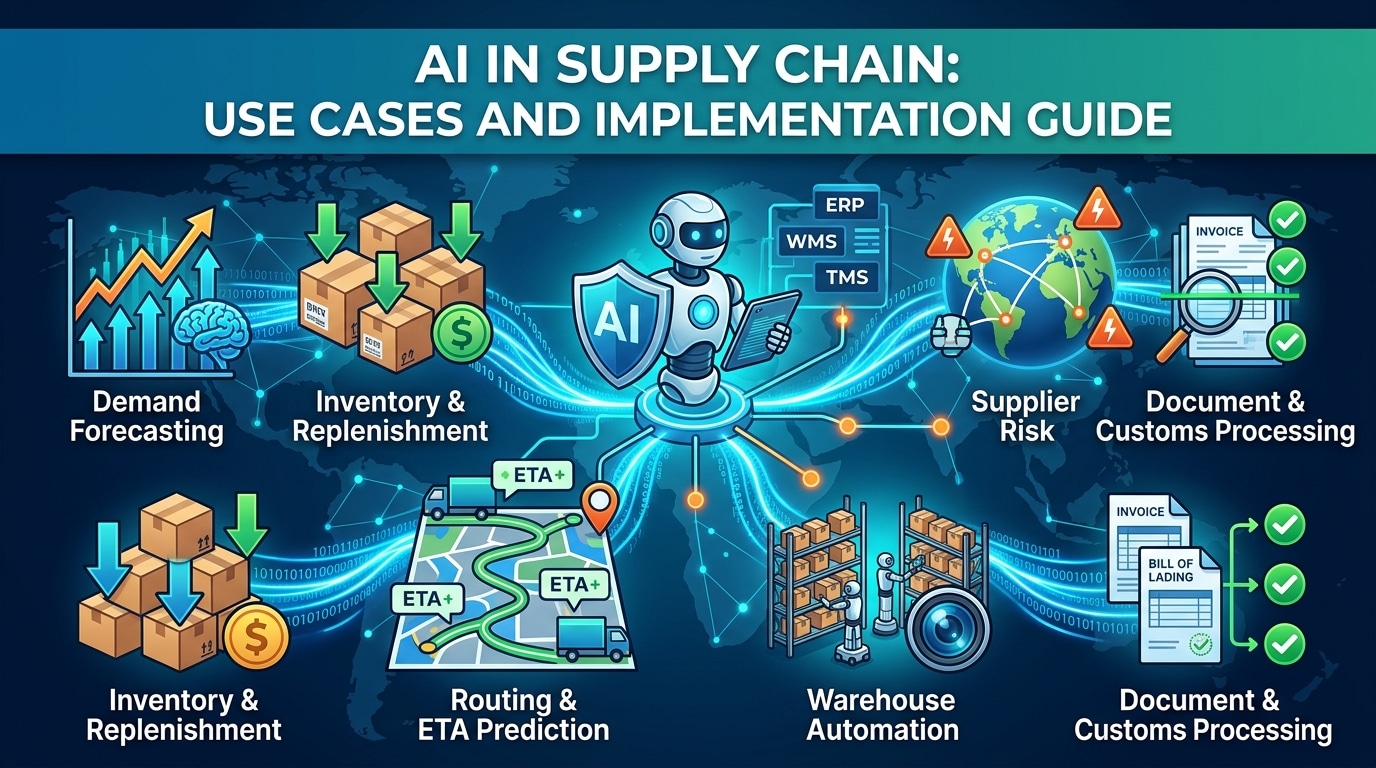
AI in supply chain: Use cases and implementation guide
What is AI in supply chain management? -
 September 21, 2026Read in 19 min.
AI in banking: Use cases, explainable AI, and how to deploy it in regulated environments
AI in banking: use cases, explainable AI and governance, generative AI, ROI, and how to deploy it in a regulated environment -
 September 8, 2026Read in 16 min.
The AI-Native SDLC: From Writing Software to Orchestrating It
An AI-native SDLC cuts delivery time by about half without loosening a single quality gate. See the three eras, the toolchain and the guardrails. -
 September 4, 2026Read in 36 min.
Custom software development cost: Real ranges, rate cards, and how to budget
How much custom software development costs. Explore real pricing ranges, hourly rates, key cost factors, hidden expenses, and budgeting tips. -
 September 2, 2026Read in 36 min.
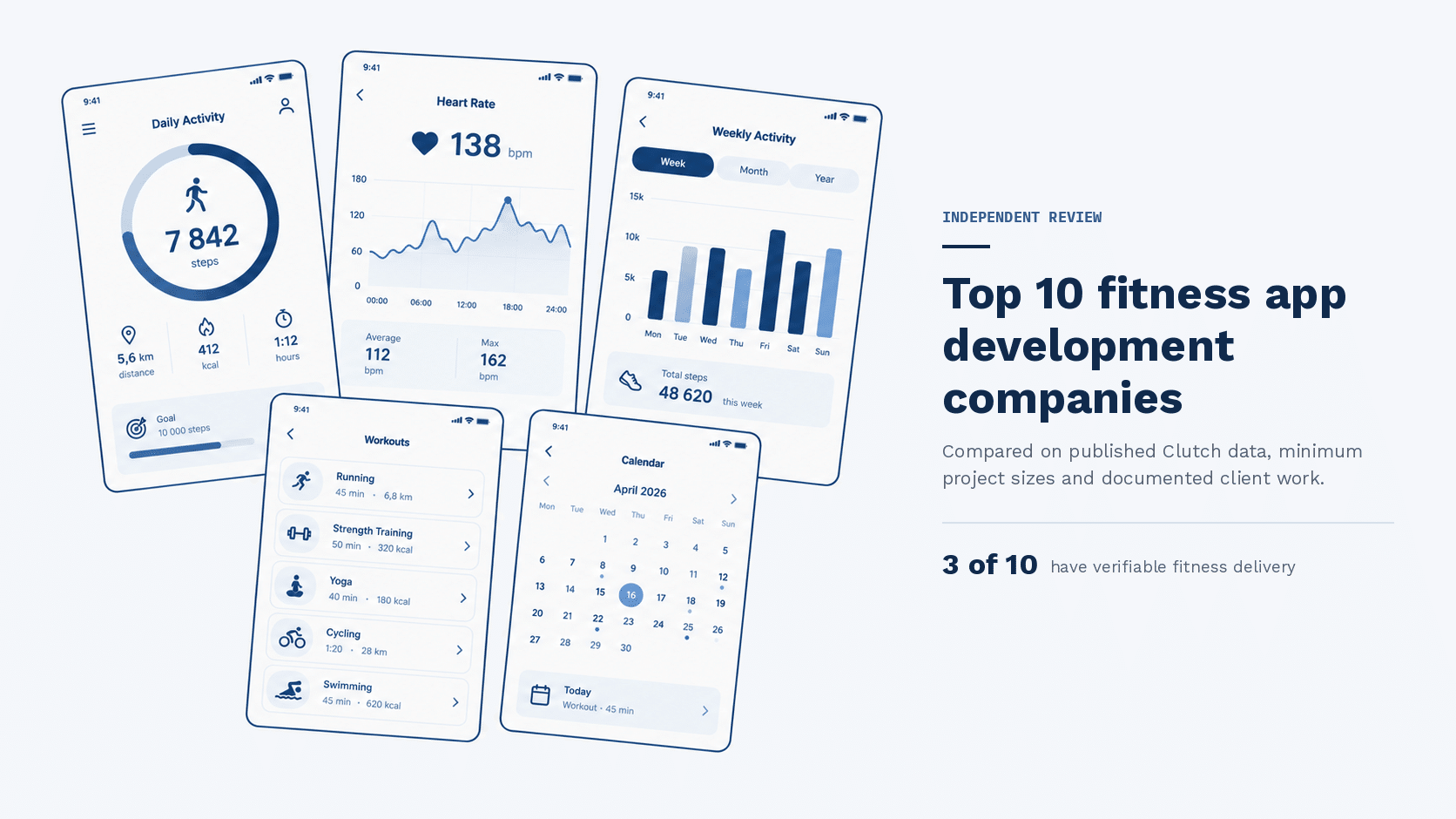
Fitness app development companies: An independent shortlist
10 fitness app development companies compared on verified data, published pricing, and real client work. Only three have documented fitness delivery. -
 August 27, 2026Read in 36 min.
Top software development companies in the USA
Find the best US-based software developers. From AI to enterprise web apps, here are the top 30 software development companies in the USA you should hire in 2026. -
 August 19, 2026Read in 22 min.
Robotic Process Automation in healthcare: Definition, benefits, and real cases
From patient scheduling to claims processing: explore proven RPA use cases in healthcare, backed by real data, ROI benchmarks, and compliance guidance. -
 July 22, 2026Read in 21 min.
AI Use Cases: 25+ Real Enterprise Examples Across Industries
Most impactful AI use cases in business - from generative AI and agentic AI to predictive analytics. Real examples by industry with ROI data and implementation priorities.