
Common enterprise applications include document processing, customer support, forecasting, fraud detection, predictive maintenance, code assistance, knowledge search, and workflow automation. The right choice depends on measurable business value, data readiness, implementation complexity, and the consequence of an incorrect result.
AI Use Cases: 25+ Real Enterprise Examples Across Industries
 21 minutes read
Content
An enterprise AI use case is a specific business workflow, such as invoice matching, contract review, or predictive maintenance, where a model’s output is tied to a measurable baseline, a defined risk level, and a human review step, rather than a general capability like “using AI for productivity.” The strongest use cases have a visible before-and-after metric, a repeated decision, and an existing process the organization can plug the model into.
Ideas are rarely the bottleneck. The harder problem is choosing among pilots, recording a baseline, and agreeing on what deserves a production budget.
Deloitte’s State of AI in the Enterprise survey, based on interviews with more than 3,200 business and IT leaders across 24 countries, found that two-thirds of organizations (66%) now report measurable productivity or efficiency gains from AI, and 65% use generative AI in at least one business function. At the same time, S&P Global Market Intelligence’s 2025 enterprise survey found that 42% of companies had abandoned most of their AI initiatives before reaching production, up sharply from 17% the year before, and that the average organization scrapped 46% of its AI proofs of concept along the way.
Both numbers can be true at once. An employee can save real time with a drafting tool while the company still fails to build a governed system around it. Through its AI & ML development services, Blackthorn Vision treats an AI use case as an engineering and operating-model decision, not a demo. A promising pilot is only the beginning of the work.
How to Evaluate AI Use Cases
Start with four plain questions. Which business result should move? Can the team actually use the data the use case depends on? How hard is the whole workflow, not just the model call? And what happens if the system gets it wrong?
Business value needs a baseline. “Improve customer support” is too soft to test. “Cut the median time to prepare a tier-two escalation from eighteen minutes to ten, without increasing the reopen rate” can be measured before and after. A baseline also stops a team from crediting the model for every improvement that happened to occur during the pilot window.
Data readiness isn’t a yes-or-no field. A company can own thousands of documents and still lack the permissions, reliable labels, or version control an AI use case needs. A demand-forecasting team might have three years of order history but no record of stockouts, so periods of low sales get mistaken for periods of low demand, and the model learns the wrong lesson.
Implementation complexity lives outside the model. Identity, APIs, review queues, monitoring, and the exception path usually cost more engineering time than the model call itself. An enterprise AI use case has to fit the systems and controls that already carry the business, not the other way around.
Risk determines what design is acceptable. The EU AI Act has been in force since August 2024, and its obligations are rolling out in phases: prohibited practices and AI-literacy rules have applied since February 2025, and governance rules plus obligations for general-purpose AI models have applied since August 2025. The compliance picture for high-risk systems shifted in 2026, though: following the “AI Omnibus” simplification package agreed by the European Parliament and Council in mid-2026, the deadline for high-risk obligations under Annex III (systems used in employment, education, biometrics, and similar sensitive areas) moved from August 2, 2026 to December 2, 2027, and high-risk AI embedded in regulated products (Annex I) now has until August 2, 2028. Before a pilot makes consequential recommendations in any of those sensitive domains, classify the system and its intended use against the current version of the timeline; it has already moved once this year and could move again.
Generative AI Use Cases for Enterprise
Content, Code, and Document Intelligence
Drafting is the obvious entry point, but it isn’t one task. Marketing copy needs brand control. Code needs tests and a secure release path. A contract summary needs a traceable link back to the clause it came from. A clinical note needs privacy safeguards, correct vocabulary, and a professional reviewer in the loop.
The generative AI enterprise use cases that hold up over time constrain both the source and the output. A document workflow can classify a file, extract named fields, flag an unusual clause, and route anything uncertain to a human reviewer rather than guessing. Blackthorn Vision’s generative AI development services include intelligent document processing for legal, healthcare, and financial-services clients, where the evidence trail matters as much as the answer itself.
Code assistants work the same way. They’re genuinely useful for repetitive transformations, test scaffolding, explaining unfamiliar code, and first drafts. GitHub’s own research on Copilot has repeatedly found developers completing certain coding tasks faster with it. They are not a substitute for architecture decisions, dependency review, or release gates. Track accepted changes and defect rates in production, not lines generated.
Customer Support, Knowledge Management, and Synthetic Data
A retrieval-augmented (RAG) assistant pulls from approved material before it answers. That can shorten search time and improve consistency across agents, but retrieval doesn’t guarantee truth; it guarantees that the model saw the right document, not that it read it correctly. The service still needs source permissions, freshness rules, and a visible citation on every answer. When sources conflict, the right behavior is escalation, not confident synthesis.
Support teams also use AI for ticket summaries, intent routing, suggested responses, and escalation prediction. Deflection rate alone is a dangerous metric to optimize for: a bot can “deflect” a customer who simply gave up. Resolution rate, repeat-contact rate, correction cost, and customer effort score give a fuller picture of whether the assistant is actually helping.
Synthetic data earns its place when real records are sensitive or rare. It can expand a test suite or protect patient privacy without exposing real records. But it can also quietly reproduce the blind spots of the model that generated it. Compare distributions and downstream model behavior against real data before calling a synthetic set representative.
Agentic AI Use Cases
Agents differ from ordinary generative AI because they choose steps and execute them through tools instead of just producing text. Gartner forecasts that task-specific agents will be integrated into 40% of enterprise applications by the end of 2026, up from under 5% in 2025 – one of the faster adoption curves the analyst firm has tracked. Read that as a prediction about narrowly scoped, integrated agents with defined boundaries, not as an argument for handing agents unlimited autonomy.
Consider invoice handling as a concrete example. An agent can read the invoice, locate the matching purchase order, compare totals, flag a mismatch, and stage (but not submit) an ERP update. Its tool permissions stay narrow, and a person still authorizes the actual posting after the agent has done the preparation work.
Blackthorn Vision builds custom agent systems as part of its AI-powered automation platform work with Semantic Kernel and Azure OpenAI, connecting them to enterprise .NET software. That connection point, where identity, audit trails, retries, and rollback have to be real, is usually where an agent project either earns its budget or quietly stalls.
Multi-agent design earns its complexity when separation creates control, not when it just looks more sophisticated. A supply-chain agent can propose an order, a compliance component can check restrictions, and finance can validate budget as a separate step. If one well-scoped workflow can do the job, adding more agents adds cost and new failure modes without adding value.
AI Use Cases by Business Function
Finance and Accounting. Invoice extraction, reconciliation, anomaly review, cash forecasting, and fraud triage all have measurable queues and known error costs, which makes them easier to pilot honestly. Start with preparation and exception routing before letting anything authorize a transaction. Finance teams trust a recommendation faster when the source document and the rule that triggered it are attached to it.
Human Resources. Skills search, onboarding assistance, policy Q&A, and interview scheduling remove real friction with comparatively low risk. Screening and attrition models are a different category: historical hiring data can encode bias, and an apparently neutral feature (a zip code, a school name, a gap in employment) can act as a proxy for a protected characteristic. Human review, accessibility, an appeal path, and legal sign-off are part of the product, not an afterthought.
Sales and Marketing. Lead research, next-best-action support, campaign-variant generation, and pricing assistance are common entry points. Keep a control group running. If pipeline rose across every segment during the pilot, crediting the full lift to the model is misleading.
Customer Service. An assistant can assemble account context, retrieve the relevant policy, and draft a response. It should never invent a refund amount, a delivery status, or a contract term it can’t verify. Give the customer an obvious route to a human, and give the assistant a clear point at which it has to stop and hand off.
IT and Cybersecurity. Alert clustering, log analysis, incident summaries, vulnerability prioritization, and code assistance can shorten investigation time meaningfully. Treat logs and tickets as untrusted input by default. A disruptive action (isolating a host, revoking access) needs a stronger approval gate than drafting an incident timeline does.
Operations and Supply Chain. Forecasting, inventory optimization, predictive maintenance, routing, and schedule recovery are established use cases with real track records. They still need operational constraints baked in: a mathematically shorter delivery route is useless if it ignores driver hours, vehicle capacity, or a customer’s delivery window.
AI Use Cases by Industry
Healthcare teams apply AI to imaging support, clinical documentation, patient routing, and drug discovery, with clinical validation and privacy shaping nearly every design choice.
Manufacturing teams commonly target vision-based quality inspection, predictive maintenance, and production scheduling; industry benchmarks for AI-based visual inspection systems generally report detection accuracy in the high-90s alongside meaningfully faster inspection cycles than manual checks, though the exact gain depends heavily on the defect type and camera setup. One Blackthorn Vision machine-vision quality control engagement covers far more than a model: it includes high-resolution readers, device configuration, monitoring dashboards, and the surrounding quality workflow the model plugs into.
For financial services, the recurring list includes fraud detection, underwriting support, document processing, and compliance monitoring.
Retail teams tend to focus on recommendations, search relevance, demand forecasting, and dynamic pricing.
Logistics teams use models for routing, ETA prediction, warehouse vision, and exception handling. Cross-industry catalogues like AIMultiple’s are useful for discovery, but prioritization still has to start with the organization’s own bottleneck and its own data, not with a list built for a different company.
AI use cases by industry share model categories but not acceptable error rates. A wrong product recommendation and a wrong credit decision cannot be governed with the same threshold, even if the underlying model architecture looks similar.
The Enterprise AI Use Case Catalogue: 25+ Examples
A shortlist works better than a mood board. Here is a working catalogue organized by where the value actually shows up, with what makes each one easier or harder to govern.
Content, code, and documents
- Marketing copy drafting with brand-voice constraints and mandatory human review
- Code generation, test scaffolding, and pull-request summaries
- Contract clause extraction and comparison against a playbook
- Clinical note drafting with terminology checks and clinician sign-off
- Legal document review and redlining support
- Technical documentation generation from code and commit history
- Automated meeting notes and action-item extraction
Customer-facing and support
- RAG-based knowledge assistants for internal support teams
- Customer-facing chatbots scoped to account data and policy documents
- Ticket summarization and intent-based routing
- Escalation-risk prediction for support queues
- Sentiment and churn-signal detection from support transcripts
Finance and operations
- Invoice extraction and purchase-order matching
- Expense-anomaly and fraud triage
- Cash-flow forecasting with human-reviewed assumptions
- Predictive maintenance on constrained, high-value assets
- Demand forecasting with stockout-aware historical data
- Dynamic routing and delivery-window-aware logistics planning
- Warehouse vision for inventory counts and damage detection
People and talent
- Candidate FAQ and interview-scheduling assistants
- Skills-gap search across internal talent data
- Policy Q&A for HR and benefits questions
- Onboarding-flow assistants with escalation to a human HR contact
Risk, security, and compliance
- Security-alert clustering and incident-summary drafting
- Vulnerability prioritization based on exploitability and asset criticality
- Compliance-monitoring assistants that flag, rather than resolve, exceptions
- Synthetic data generation for testing sensitive or rare-event scenarios
Agentic workflows
- Multi-step invoice-to-approval agents with human sign-off before posting
- Multi-agent supply-chain proposals with a separate compliance and finance check
- Agent-assisted incident response that drafts a remediation plan for approval
None of these are interchangeable. An organization typically has the data, the review process, and the risk tolerance for two or three of them right now, not all thirty.
Top AI Use Cases Delivering ROI
Industry benchmarks compiled across McKinsey, Deloitte, and vendor case studies commonly cite ranges like these. They are useful planning ranges drawn from reported case studies, not guaranteed outcomes for any specific deployment. The underlying methodology, sample size, and baseline vary a lot between the studies that produce them.
| Use case | Reported benefit range | What it depends on |
|---|---|---|
| Predictive maintenance | 35-45% reduction in downtime | Asset data quality, failure frequency |
| Document processing | 60-80% reduction in handling time | Document structure, permission complexity |
| Customer-service AI | 40-70% reduction in cost-to-serve | Ticket volume, fallback design to a human |
| Demand forecasting | 15-25% improvement in inventory accuracy | History length, stockout record quality |
| Code generation | 30-40% productivity gain | Codebase size, review and test discipline |
In practice, the AI use cases that deliver ROI reliably tend to share three traits: a visible baseline before the project starts, a repeated decision rather than a one-off, and a review path that already exists in the organization. That’s why document intake or maintenance triage often beats an undefined “enterprise copilot” as a first production project.
AI Use Cases to Avoid
Avoid autonomous high-stakes decisions without review, hiring models without a documented bias audit, customer-facing agents with no fallback to a human, and any project whose only success measure is usage. Don’t automate a broken process before its owner and its rules are actually clear. Doing so just makes the broken process faster.
Some practices are outright prohibited under the EU AI Act regardless of the phased timeline above: social scoring, and, outside narrow legally defined exceptions, most real-time remote biometric identification by law enforcement in public spaces. A legal review should examine the actual system and its intended purpose rather than relying on a broad label like “AI hiring tool” or “AI surveillance.”
How to Prioritize AI Use Cases
Write the pain point down first, then score feasibility and risk against it. The pilot should cover the smallest workflow that’s still complete end to end. Name its owner, its baseline, its target, its stop condition, its data source, and its fallback before it starts, not after. Evaluation has to cover the input, the model, the integration, human review, monitoring, and the business outcome as one connected system, not the model’s accuracy in isolation.
With custom .NET development and Azure development services, Blackthorn Vision helps enterprise teams decide which AI use cases fit their existing data and architecture. Production readiness belongs to the whole organization, not to the model alone.
What a Real Prioritization Session Looks Like
Put ten proposed projects on a wall and most of them will sound valuable: a support assistant, demand forecasting, contract review, code generation, predictive maintenance, personalized marketing, an HR copilot, fraud detection, document intake, a multi-agent operations platform. The point of a prioritization session isn’t to prove that AI use cases exist; it’s to find the one or two this specific organization can actually operate right now.
Start with the pain, in numbers. A finance team might spend 1,200 hours a month matching invoices to purchase orders, with 18% of them routed to manual review. That baseline beats a broad ambition to “automate finance” because it comes with a volume, a cost, an exception rate, and an owner attached. It also raises the first hard question: are the exceptions caused by unreadable documents, missing purchase orders, inconsistent supplier IDs, or a policy dispute? Only some of those problems are actually AI problems.
Score feasibility next. The documents exist, but can the team legally use them for a pilot? Is the supplier master data reliable? Does the ERP expose a safe integration point? Can reviewers record why they corrected the model’s output? Enterprise AI use cases live or die on these unglamorous details, far more than on model choice.
Complexity comes after that. Extracting fields and suggesting a match is much easier to govern than letting an agent post an accounting entry on its own. The first version might just prepare a recommendation, attach the supporting evidence, and send low-confidence cases to a person. That narrower scope can still remove substantial manual work while keeping the control environment intact.
Finally, look at risk directly. A wrong marketing draft is inconvenient. A wrong payment or hiring decision is consequential in a completely different way. Decide up front which actions require approval, how output gets logged, and how the process keeps running when the model is unavailable. Compare use cases by the cost of a mistake, not just by how good the happy-path demo looks.
Three AI Use Case Examples, Scored Honestly
A manufacturer with frequent line stoppages. Predictive maintenance looks attractive because downtime is expensive to begin with. Data readiness is often the catch: if maintenance notes are vague and failures are rare, a plant-wide failure-prediction model has almost nothing reliable to learn from. A sensible pilot starts with anomaly detection on one constrained, high-value asset rather than promising to predict every failure across the plant.
A legal team reviewing a steady flow of similar vendor agreements. Document extraction and clause comparison have a clear baseline, accessible data, and a human review step that already exists in the workflow. This is one of the more straightforward generative AI enterprise use cases, provided the system cites the source clause for every claim, respects document permissions, and never presents a legal judgment as settled fact.
An autonomous HR screening agent. The theoretical value is high, but so is the regulatory and fairness risk: historical hiring labels can be biased, and the cost of a wrongly rejected candidate is hard to observe or measure after the fact. A safer starting point for the same team is usually candidate FAQ support or interview scheduling: smaller in scope, but far less likely to produce a decision no one can defend later.
The pattern across all three: the largest theoretical payoff is rarely the best first investment.
The Hidden Cost Categories
Model usage is one line in the budget, and often not the largest one. Enterprise AI use cases also carry data preparation, integration, evaluation, security review, user training, monitoring, and exception-handling costs. A cheap model can still sit inside an expensive workflow.
Correction cost deserves particular attention. If an employee needs thirty seconds to accept a good suggestion but fifteen minutes to discover and fix a wrong one, a modest error rate can erase the time saved. Customer-facing systems add reputational cost on top of that. Security systems add the cost of a missed incident on one side and the cost of an unnecessary lockout on the other.
Latency shapes the design too. A call-center assistant needs an answer within seconds. A nightly demand forecast can tolerate a much longer run. A fraud check often needs deterministic rules running alongside a model, because the payment can’t wait for an open-ended agentic process to finish reasoning. The AI business use cases that hold up are the ones that fit the time budget the decision actually has.
How to Compare AI Use Cases by Industry
AI use cases by industry should start with the industry’s own constraints, not a recycled list from a different sector. In healthcare, data access, clinical validation, and duty of care dominate every decision. In manufacturing, OT integration, edge reliability, and physical consequences matter most. In finance, auditability, model risk, and transaction controls shape the architecture from day one. Retail tolerates recommendation error very differently than it tolerates personalized-pricing error.
Logistics provides a useful contrast on its own: a route suggestion can simply be recalculated if it’s wrong, while an unsafe warehouse action has physical consequences that can’t be undone. A regulated bank needs identity, evidence, and approval steps that a media-content workflow may never need. Use cases for AI in education need to measure actual learning outcomes, not just task completion.
That’s why “it worked in another industry” is only a starting signal, not a conclusion. Data meaning, acceptable error, workflow timing, and regulation all have to transfer before the result does.
Deciding Between GenAI, Predictive AI, and an Agent
Teams often choose the fashionable category first and work backward. It’s worth reversing that. If the job is forecasting a number or classifying an event, predictive machine learning is usually the right tool. If the job is drafting, summarizing, or answering from documents, generative AI tends to fit. If the job requires choosing and executing several controlled steps in sequence, an agent may be justified.
| Deterministic rule | Predictive AI | Generative AI | Agentic AI | |
|---|---|---|---|---|
| Best for | Stable, explainable conditions (totals must match within a tolerance) | Forecasting a number or classifying an event (demand, fraud risk, churn) | Drafting, summarizing, or answering from documents | Multi-step tasks that require choosing and executing actions |
| Example | Invoice total = PO total, within tolerance | Demand forecast, fraud score | Contract summary, support draft | Invoice-to-approval workflow |
| Main failure mode | None if the condition truly is stable | Silent drift as real-world patterns change | Fluent but incorrect output (hallucination) | Compounding errors across steps if unsupervised |
| Governance need | Low, but confirm the condition is actually stable | Monitoring for model drift and retraining triggers | Grounding, citation, and human review of output | Narrow tool permissions and a human approval gate before irreversible actions |
| Version sensitivity | None | Moderate, retraining needed periodically | High, provider model updates can change behavior | High, plus tool and API version dependencies |
Not every workflow needs a model at all. A deterministic rule is the better choice when a condition is stable, explainable, and complete. If invoice totals have to equal purchase-order totals within a fixed tolerance, ordinary code enforces that rule more reliably than an LLM ever will. The model earns its place where language, ambiguity, or learned patterns create real value, not by default.
Generative AI enterprise use cases need grounding, output review, and cost limits built in from the start. They also need version-aware evaluation, because the underlying model can change without much warning. A result that passed testing in March shouldn’t be assumed to behave identically in October.
A Portfolio, Not a Parade of Pilots
Organizations often run too many disconnected experiments at once. Each team picks its own vendor, copies data into its own environment, and builds its own approval path from scratch. None of that creates reusable infrastructure; the result is a parade of demos and no actual production capability.
A better portfolio shares a model gateway, identity rules, logging, evaluation methods, and integration patterns across projects. One document project can build a secure retrieval layer that the next team reuses. One agent pilot can establish tool contracts and approval components other teams borrow instead of rebuilding. Enterprise AI use cases get cheaper to deliver over time because the organization is building a capability, not repeating the same setup work.
The portfolio still needs real stop conditions. If the data can’t support the target, users keep rejecting the output, or correction cost exceeds the saving, close the pilot. Ending a weak project on schedule is a sign of good governance, not a failure to report.
Questions to Take into the Funding Meeting
Before approving any AI use case in business, ask for the current baseline, the named process owner, the data it depends on, the correction path, the risk classification, the integration plan, and a ninety-day decision point. Ask what happens if the model is unavailable for a day. Ask which metric could get worse while the headline metric improves.
The top AI use cases will differ by organization, and that’s normal. For one company, document intake is the obvious win. For another, the documents are already clean and the real constraint is maintenance downtime or forecast error. AI use cases in business should follow the bottleneck that actually exists, not the topic that dominated the last conference agenda.
Blackthorn Vision’s role is to make that choice concrete: inspect the data and the existing .NET or Azure environment, identify the smallest viable production path, and build the controls around it. Strong AI use cases expose their own evidence. Weak ones produce an impressive answer in a demo and leave the underlying operating problem exactly where it was.
Move from a List to a Working System
The best AI use cases solve a repeated problem and leave accountability visible at every step. Blackthorn Vision designs and deploys AI across .NET systems, Azure infrastructure, and real production workflows. The goal isn’t a catalogue of features; it’s one governed system that the people who own the process can actually run, monitor, and improve over time.
FAQ
What are the most common enterprise AI use cases?
Why do enterprise AI pilots fail?
Pilots usually fail because of weak data, missing integration, unclear ownership, poor evaluation, excessive scope, or no plan for correction and fallback. Model quality matters, but production readiness depends on the whole system around the model.
Which AI use cases deliver the clearest ROI?
The clearest returns usually come from high-volume workflows with visible labor, delay, error, or downtime costs. Document intake, maintenance triage, customer-support preparation, demand forecasting, and quality inspection often perform well because teams can compare the result against an existing baseline.
What is the difference between generative AI, predictive AI, and agentic AI?
Predictive AI forecasts an outcome or classifies an event. Generative AI creates or transforms content, such as summaries, code, or answers grounded in documents. Agentic AI selects and executes several controlled steps through tools. The workflow should determine the technology, not the other way around.
How should a company choose its first AI use case?
Start with a repeated problem that already has an owner, a baseline, and a review path. The first project should be narrow enough to govern but complete enough to test in a real workflow. A smaller production use case is more valuable than a broad demonstration with no operational owner.
What's the difference between a generative AI use case and an agentic AI use case?
Generative AI produces content (text, code, summaries) in response to a prompt. An agentic AI use case goes further: the system chooses steps and executes them through tools, such as looking up a purchase order or drafting an ERP update, usually with a human approval step before anything irreversible happens.
Should every business function have its own AI pilot?
No. Running disconnected pilots in every department usually produces a parade of demos rather than a working system. A shared model gateway, identity rules, and evaluation approach across two or three well-chosen use cases tends to outperform ten uncoordinated ones.
Does the EU AI Act affect AI use cases outside the EU?
It can. Obligations attach to the AI system’s use, not to where the company is headquartered, so a US or Ukraine-based company deploying a high-risk AI use case that affects EU residents (in employment or biometrics, for example) may still need to comply. The high-risk compliance timeline shifted in 2026 following the AI Omnibus agreement, so it’s worth checking the current deadline before assuming an older date still applies.
Which AI use cases have the strongest track record for ROI?
Document processing, predictive maintenance, and customer-service automation tend to show up most consistently in published case studies, largely because they have a visible baseline, a repeated decision, and an existing review process to plug into, not because the underlying models are unusually accurate.
Why do so many enterprise AI proofs of concept get abandoned?
S&P Global Market Intelligence’s 2025 survey found the average organization scrapped 46% of its AI proofs of concept before production, most often citing cost, data-privacy risk, and security concerns rather than the model’s raw accuracy. The pattern points more toward data readiness and governance gaps than toward model quality.
You may also like
-
 September 28, 2026Read in 19 min.
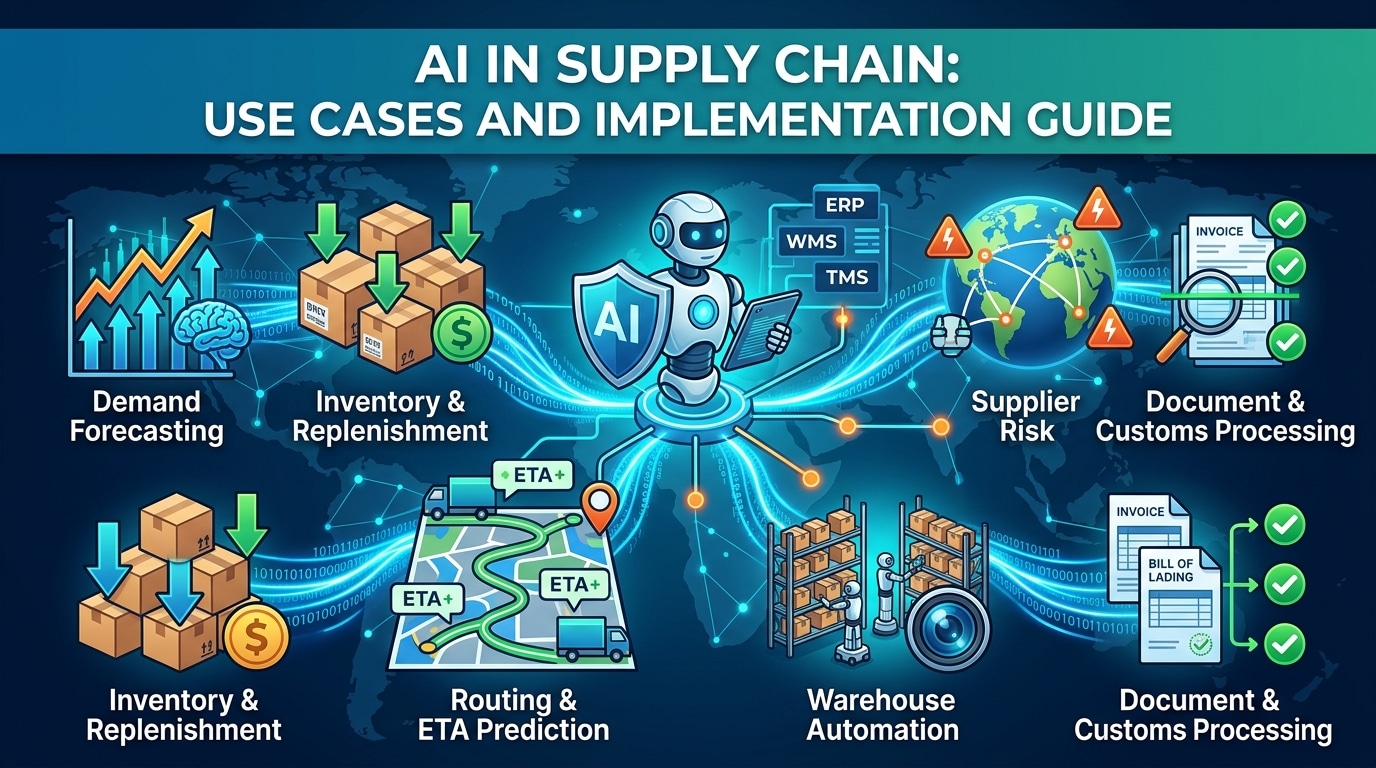
AI in supply chain: Use cases and implementation guide
What is AI in supply chain management? -
 September 21, 2026Read in 19 min.
AI in banking: Use cases, explainable AI, and how to deploy it in regulated environments
AI in banking: use cases, explainable AI and governance, generative AI, ROI, and how to deploy it in a regulated environment -
 September 8, 2026Read in 16 min.
The AI-Native SDLC: From Writing Software to Orchestrating It
An AI-native SDLC cuts delivery time by about half without loosening a single quality gate. See the three eras, the toolchain and the guardrails. -
 August 19, 2026Read in 22 min.
Robotic Process Automation in healthcare: Definition, benefits, and real cases
From patient scheduling to claims processing: explore proven RPA use cases in healthcare, backed by real data, ROI benchmarks, and compliance guidance. -
 July 22, 2026Read in 17 min.
AI in manufacturing: How to implement, use cases and benefits
How artificial intelligence is transforming manufacturing - from predictive maintenance and quality control to supply chain optimization and digital twins. Real ROI data and implementation roadmap. -
July 21, 2026Read in 18 min.
AI in Education: How Artificial Intelligence Is Transforming Learning
How AI is used in education - from personalized learning and automated grading to AI tutors and corporate L&D. Real examples, benefits, challenges, and what's next. -
 July 16, 2026Read in 17 min.
Custom ERP software for manufacturing – Built on Azure and .NET
Off-the-shelf ERP forcing workarounds? Blackthorn Vision, a manufacturing software company, builds ERP software for manufacturing on Azure and .NET. -
June 10, 2026Read in 22 min.
Selecting elite Vue.js development company
Top Vue.js development companies vetted for Vue 3 architecture, high-performance rendering, and secure AI integration. Read our definitive guide for tech leaders. -
May 15, 2026Read in 24 min.
Claude vs. ChatGPT: Which one is right for your work?
Should you switch to Claude for its Artifacts or stay with ChatGPT for its Omni-Agent capabilities? A hands-on comparison of reasoning, coding, and privacy. -
 May 12, 2026Read in 16 min.
Machine Learning Consulting Services: The Executive Guide to Strategy, ROI, and Scaling Intelligence
Navigate of machine learning consulting. Learn how top firms deliver ROI through MLOps, custom model development, and strategic AI advisory.